Captain's Log: Stardate 2026.04.12. On the patient work of finding an anchor.
The Silent Traveler
When a drone leaves the ground, it enters a different world. It drifts above us, capturing the vastness of the landscape and the play of light, but it leaves the rhythm of the world behind. Most drones (DJI Mavic 4 or Avata) record no sound. They are silent witnesses to the events we capture.
When we bring that footage back to the editing room, we are faced with a practical challenge. These clips are like fragments of a mirror that have lost their anchor. Without sound or a shared clock, they don't know where they belong in the story.
Reading the Pulse
In a fast-paced production—like a multicam set with 11 different locations—we cannot rely on guesswork. We need to find the truth that the hardware left behind.
Instead of fighting the software, we look closely at the files themselves. Deep inside the digital header of each clip, there is a pulse—a timestamp recorded at the exact moment the light hit the sensor. This encoded_date is the quiet heartbeat of the flight.
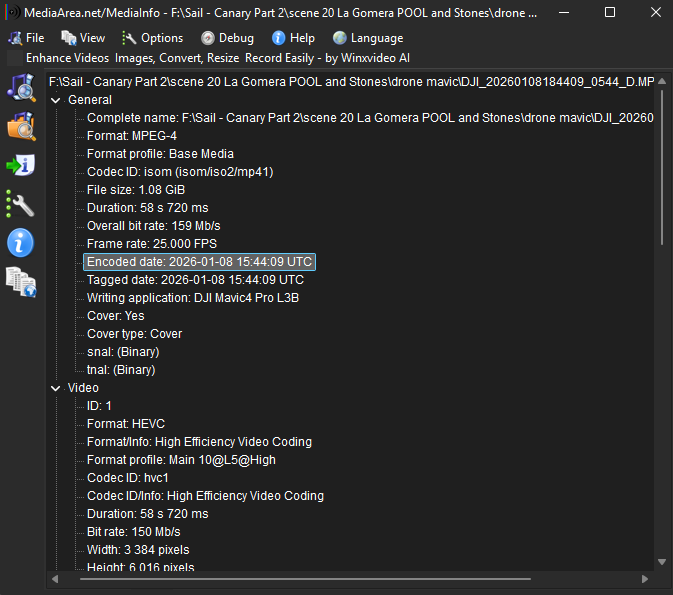
By reading this pulse, we can mathematically find where each moment belongs. It is a patient process of calculation, finding the delta between our master clock and the drone's own internal sense of time.
The Partner in the Work: Antigravity
Finding these anchors by hand would be a long and difficult journey. We used Antigravity to help us build a simple bridge—a way to talk directly to our editing software and tell it where these silent fragments belong.
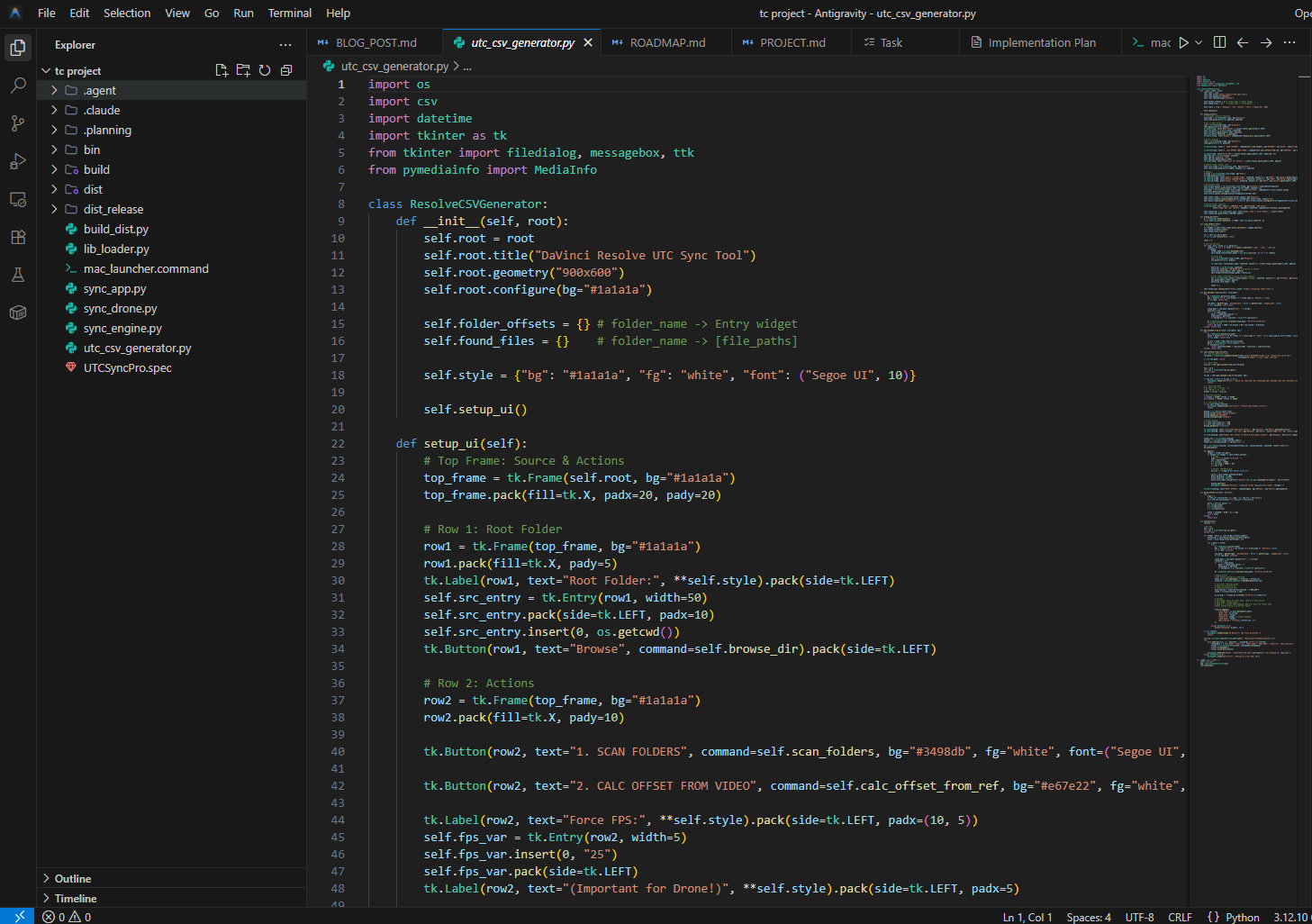
We chose a way of working that doesn't change the original files. We are simply adding a layer of understanding to the project metadata. This allows us to keep the high-quality images pristine while giving them the temporal anchor they need to rejoin the story.
Step 1: Using the UTC Sync Pro Utility
To use this instrument, we follow a simple sequence of actions within the utility:
-
Open root folder: Select the directory where your footage is stored. Ideally, your folders are named after your cameras (e.g., "Mavic_Side", "Avata_Master").
-
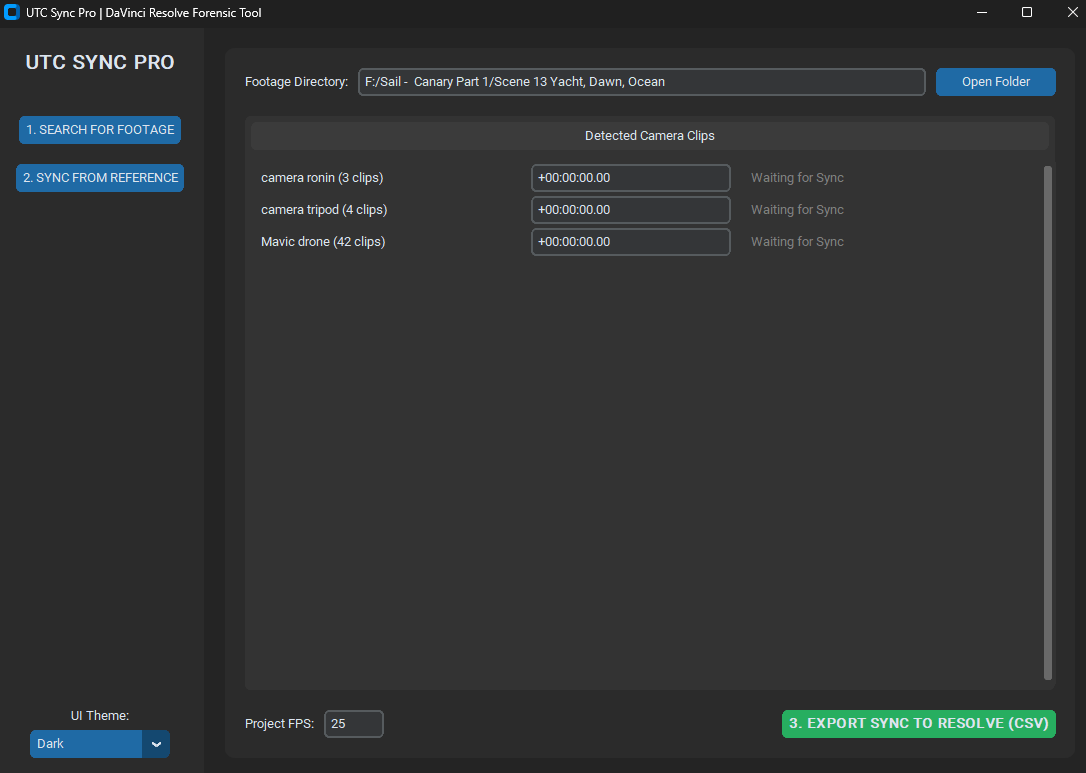
Identify the Footage: Click "1. SEARCH FOR FOOTAGE". The app will quietly scan and group every clip by its camera origin.
-
Anchor the Clock: This is where we calibrate our sense of time. Click "2. SYNC FROM REFERENCE" and select a clip from your master camera that shows a shared visual cue.
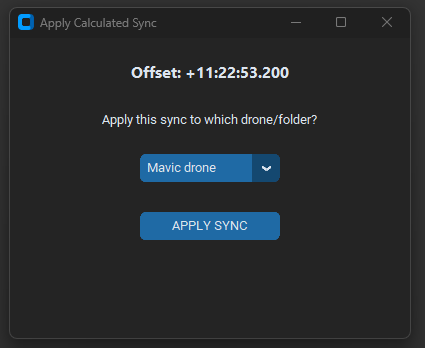
- Use the dropdown menu in the popup to apply this offset to your drone folder. The app calculates the delta between the master clock and the drone's internal pulse.
-
Create the Bridge: Hit "3. EXPORT SYNC TO RESOLVE (CSV)." This creates a small file called
Resolve_UTC_Sync.csvin your project root. This is the map we will use to guide the footage home.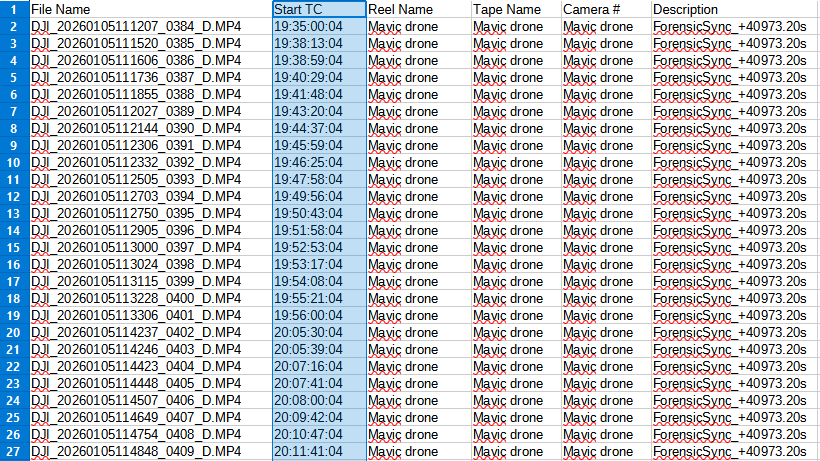
Step 2: Bringing the Story into Resolve
Once we have our map, the process in DaVinci Resolve is clean and non-destructive.
- Preparation: Import your drone footage into the Resolve Media Pool as you normally would.
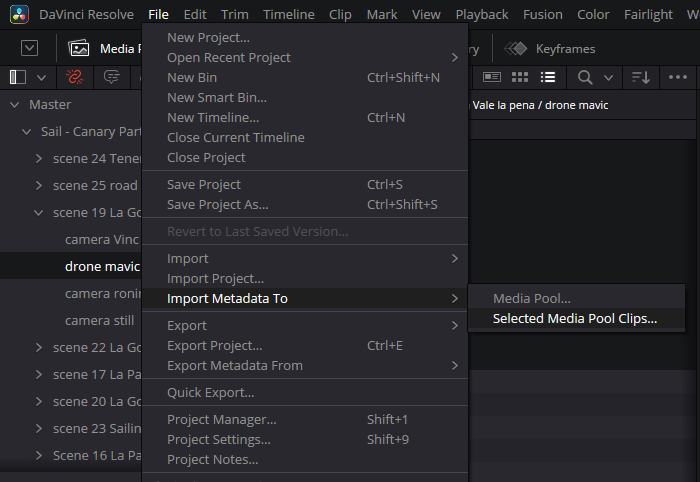
- Apply the Map: Right-click the folder containing your clips and select "File > Import Metadata from CSV."
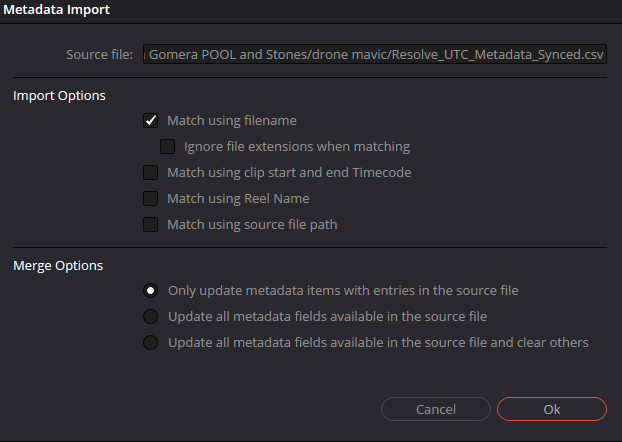
- Match the Fragments: Ensure the "Source Name" in the CSV matches the "File Name" in Resolve. Check only that box.
- Witness the Sync: Resolve instantly updates the clip metadata. Your silent drone shots now have a "ghost" timecode that perfectly matches your master multicam clock.
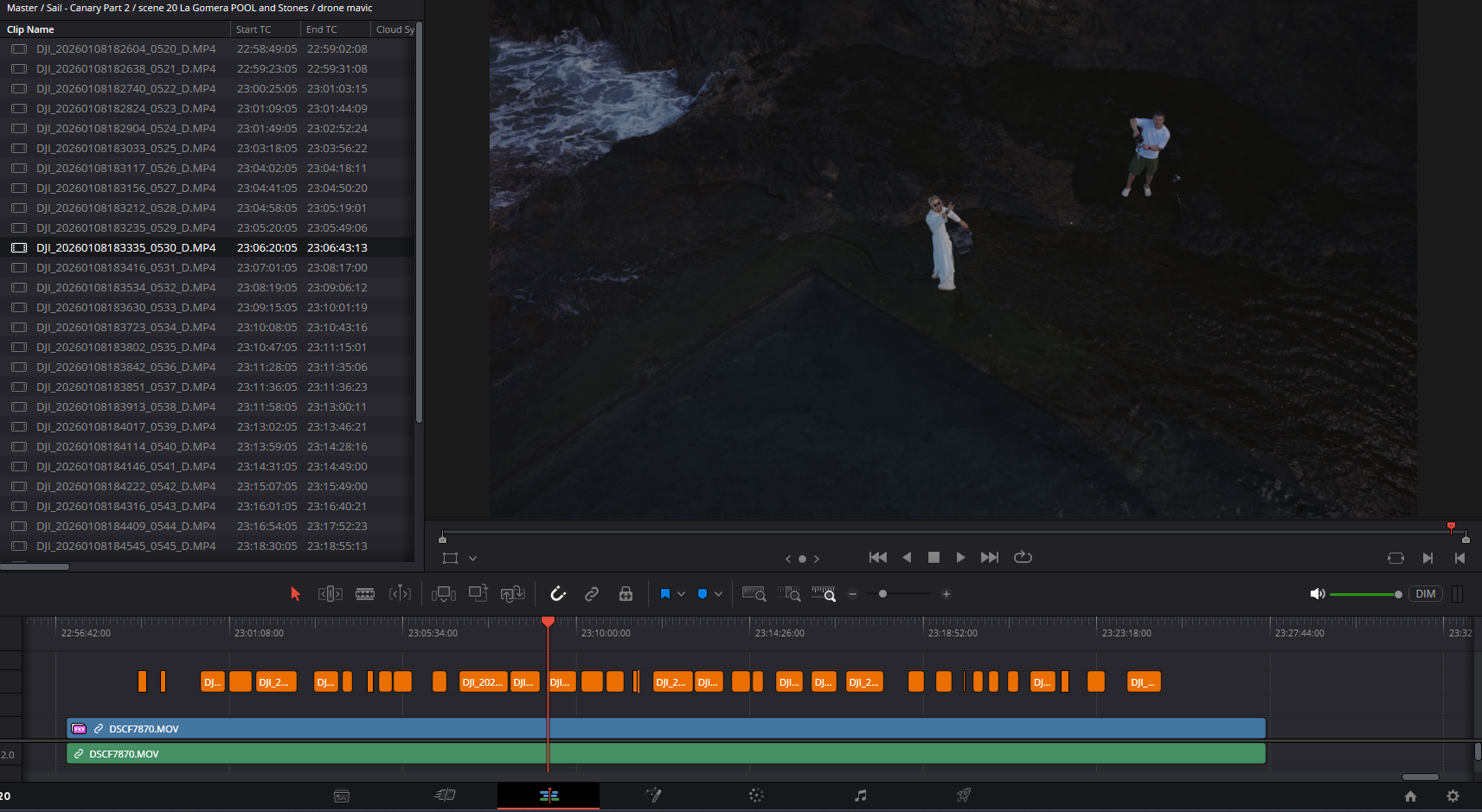
Witness the Comparison
Below is the patient study of the digital versus the physical—how we used the bridge we built to ensure the performance remains anchored in the truth of the moment.
The Human Touch: The Final Pulse
Technology can get us very close. It can put us in the right neighborhood, within a few frames of the truth. But the final act of reconnection always requires the human eye.
We call this the Final Pulse—the moment where we look at the movement of the drone and the rhythm of the production and make that last, intentional adjustment. It isn't a "fix" for a failing system; it is the moment where the technician becomes a witness, ensuring that the technology and the art are perfectly in sync.
To be a professional in this changing world is to be a builder of bridges. We identify the gaps in our tools and find the patient, practical ways to close them, so that the story can be told without interruption.
A Tool for the Journey
We have made this bridge available for others who find themselves navigating the silence of drone footage. It is a simple instrument for a complex problem.
[Link to Subscribe / Download]